
Propel EBT & SNAP Benefits
Propel IncFinance
4.8122.94K Reviews
- Version
- 9.8.0
- Installs
- 10.00M
- Age Rating
- Everyone
Screenshots
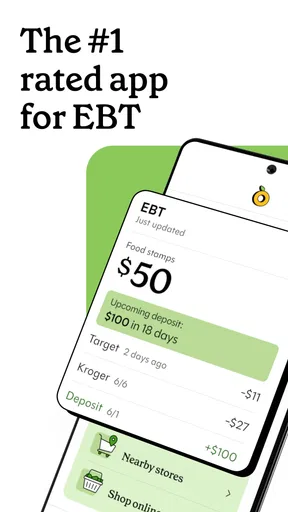
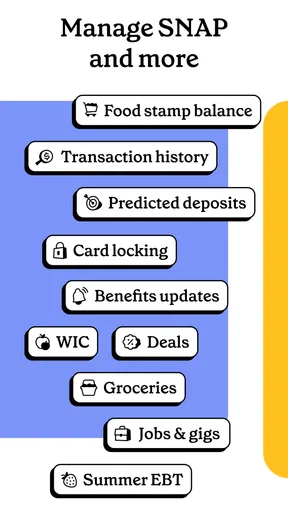
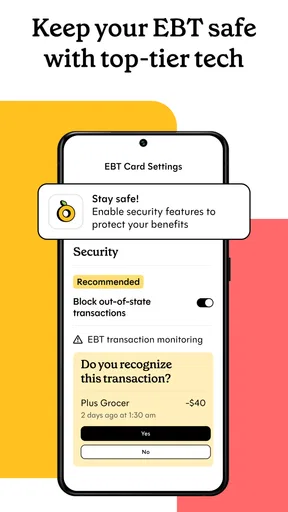
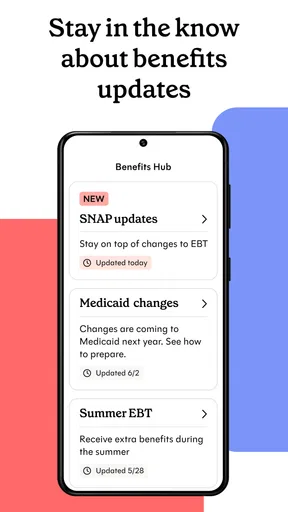
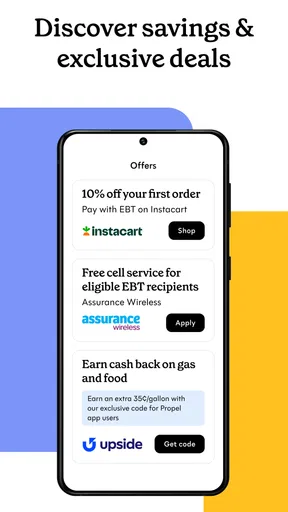
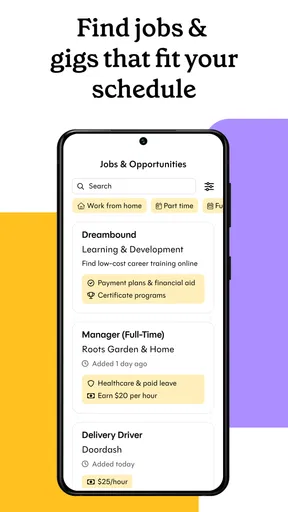
Our Review of Propel EBT & SNAP Benefits
 Analysis by Appyee
I approached Propel EBT & SNAP Benefits as a practical finance app rather than another budgeting tool. Its purpose is focused: helping people check EBT, SNAP, and WIC balances, keep track of food benefits, and make those benefits easier to manage. That narrow focus is its biggest strength. It is not trying to replace a bank app or become a full household spreadsheet; it is meant to answer an urgent everyday question before or during a grocery trip: how much support do I have available, and how can I make better use of it?
In my experience, that makes the app most useful when money is tight and timing matters. A balance check before shopping can prevent an awkward checkout problem, while a quick look at benefit information can help a household decide what to buy now and what to postpone. The app is free, aimed at Everyone, and developed by Propel Inc. It has also reached over ten million installs, with an average rating of 4.8 from around 742 thousand ratings, so it clearly serves a large audience.
How the app feels during everyday use
I find that the most useful way to judge Propel is to ask what I need from it before opening it: a quick planning check, or a definitive answer about a benefits account. Keeping that distinction in mind helps me use the app without putting more trust in a single screen than the situation deserves. It also sets up the next question: what choices and controls can a user actually make?
Quick answers matter more than visual extras
The first thing I value in an app like this is speed of access. When I am standing outside a supermarket, I do not want to explore a complicated financial dashboard. I want the relevant balance or benefit information to be easy to find. Propel’s focused purpose gives it a better starting point than a general finance app, because the main reason to open it is already clear.
That focus also affects how I judge its performance. A finance app can feel slow even when it technically loads correctly if the useful information is buried behind too many screens. For this kind of tool, perceived speed comes from a short path between opening the app and understanding my available benefits. I found that the experience makes more sense when I treat it as a regular check-in tool, not something to browse casually.
There is a practical habit I would recommend: check the app before leaving home, not only at the register. That gives the information time to load and leaves room to adjust a shopping list. It also reduces the pressure of trying to solve a balance question while other customers are waiting. This is a small workflow change, but it makes a focused benefits app much more useful.
What happens during a busy shopping day
The app becomes more valuable during heavy-use moments, such as the beginning of a benefit period, a larger family shopping trip, or a day when several stores need to be compared. In those situations, I would open it more than once: first to plan, then to review the available balance, and possibly again after shopping. That repeated use is where convenience matters more than a long list of features.
Repeated checking also exposes the main trade-off. A balance shown in an app is useful for planning, but I would still treat the checkout result and official benefit records as the final reference if something looks unexpected. Transactions, timing, and account updates can create confusion in any benefits workflow. The app can make information easier to reach, but it cannot remove every real-world delay or discrepancy connected with a benefits account.
A realistic example is a parent planning a weekend shop with a limited amount of SNAP support remaining. I would use Propel to check the available amount before making the list, separate eligible food from items that need another payment method, and leave a little room for price differences. At the store, I would avoid assuming that the first figure I saw automatically covers every item in the cart. That simple separation between planning and confirmation is one of the safest ways to use the app.
Stability is more important than constant novelty
For this category, reliability means more than a polished interface. It means I can return to the same account information when I need it and understand what I am seeing without guessing. Propel has been available since December 24, 2015, and its current version is 9.1.0. That long presence and continued versioning suggest an established product rather than a short-lived experiment, although my own recommendation is still to verify important figures when a purchase depends on them.
The app’s large user base is another reason I see it as a serious option. Around 121 thousand written reviews accompany its rating, which gives prospective users a useful sense that it is widely used rather than obscure. Those figures do not guarantee that every person will have the same experience, but they do make the app easier to consider when choosing between an unfamiliar benefits tool and a more established one.
My recovery advice is straightforward. If the app does not immediately show what I need, I would avoid repeatedly tapping through the same screen. I would pause, check whether the account details were entered correctly, and try again later or use the relevant official channel when the matter is urgent. I would also keep a basic shopping plan instead of relying on the app as the only record. That is not a criticism unique to Propel; it is sensible behavior for any app connected to essential household funds.
Device age and resource expectations
Propel supports Android 7.0 and later, which makes it accessible on a broad range of Android phones, including devices that are not new. That is helpful for people who keep an older phone to control costs. At the same time, an older operating system can affect the overall experience even when an app remains compatible. The phone’s available storage, background activity, and general condition may influence how quickly any finance app opens or recovers after being left idle.
I would not choose this app expecting it to be completely independent of the phone around it. If the device is crowded with apps, regularly runs low on storage, or has trouble maintaining a stable connection, the experience may feel less responsive. The sensible approach is to keep the phone updated where possible, close problems at the system level, and avoid judging the app solely by a single slow session on an aging device.
Resource demands are best understood in context. This is not a game that needs sustained graphics performance, and it is not a video editor processing large files. Its job is primarily to present financial and benefits information, so the important performance question is whether it feels dependable during short, purposeful visits. I would expect it to be a lighter choice than many entertainment apps, but I would not invent a battery or memory claim that depends on a particular phone.
Where it beats ordinary alternatives
The usual alternative is a general bank app, a government website, a paper record, or a phone note. Each can have a place, but none is automatically as convenient for someone who wants a benefits-centered view. A bank app may show an account balance without helping organize SNAP or WIC information. A paper note can record a previous figure but becomes outdated quickly. A website may be authoritative while feeling less convenient during a fast shopping trip.
Propel’s advantage is the combination of a specific purpose and a more approachable daily routine. I can use it as a bridge between official benefit information and real household decisions: planning food, checking available support, and trying to avoid surprises. That does not make it a replacement for every official source. If I needed an authoritative resolution for a disputed transaction or an account problem, I would prefer the responsible agency or official account channel.
There is also a useful distinction between this app and a traditional budgeting app. A budgeting app usually starts with income, bills, categories, and spending history. Propel starts with benefits and food-related financial decisions. For someone whose main concern is managing EBT, SNAP, or WIC, that specialization is more relevant. For someone who wants investments, credit monitoring, bill reminders, or a full household net-worth picture, a broader finance product would be the better fit.
Small workflows that make a real difference
One non-obvious way I would use Propel is as a planning checkpoint rather than a last-second balance reader. Before shopping, I would decide which purchases are essential, check the available benefit information, and then create a list that leaves flexibility for changing prices. This turns the app from a passive display into part of a repeatable household routine.
A second useful approach is to separate benefit-funded items from items that may require another payment method before reaching the checkout. That mental separation reduces confusion and makes it easier to notice when the total is drifting beyond the available amount. Propel can support the information side of that process, but the final organization still comes from the shopper.
A third insight is to use the app differently depending on urgency. For routine planning, I would take time to review the information calmly. For a checkout problem, I would avoid making several rushed assumptions based on a screen that has not refreshed as expected. I would preserve the receipt and use the appropriate official support route if the issue affects essential funds. The app is most helpful when it improves preparation, not when it is treated as a magic fix for every account complication.
Who should use it and who should skip it
I would recommend Propel to Android users who actively manage EBT, SNAP, or WIC information and want a more convenient way to check benefits during ordinary errands. It is especially suitable for people who prefer a focused mobile tool over navigating a general financial dashboard. The free price also removes an obvious barrier for someone already trying to stretch a limited food budget.
I would be more cautious about recommending it to someone who does not use these benefit programs. In that case, the app’s central purpose may not justify installing another finance app. I would also suggest a different option for a user who needs comprehensive budgeting, investment tracking, detailed bill management, or a complete bank-account overview. Propel’s specialization is a benefit only when that specialization matches the user’s actual needs.
People who rely on an older Android phone should check that it runs Android 7.0 or later and should keep realistic expectations about device performance. Compatibility does not guarantee that every older handset will feel equally quick. If the phone is already unstable, I would solve those broader device issues first and keep an official backup route available for urgent benefit questions.
My performance verdict
After looking at the app through the lens of speed, repeated use, reliability, and device limitations, I see Propel as a practical specialist rather than an all-purpose finance solution. Its strongest performance quality is not flashy power; it is the ability to support short, meaningful tasks around food benefits. That is exactly what I want when planning a shop or checking whether my available support matches the list in front of me.
The limitations are equally clear. It should not be the only place I rely on when a transaction is disputed, an update seems wrong, or a purchase depends on an exact final amount. Users with broader financial goals will also find its scope narrower than a full budgeting or banking app. Those are reasonable boundaries, and understanding them prevents disappointment.
Propel Inc has built an app with a clear audience and a long-running presence. Its Everyone age rating, free access, broad Android compatibility, and strong average rating make it approachable, while its focused benefits workflow gives it a purpose that general finance tools often miss. My recommendation is to use it as a convenient planning and checking companion, while keeping official account channels as the final authority for urgent or disputed matters. For households managing SNAP, EBT, or WIC, that balance of convenience and caution makes it a worthwhile app to try.
Privacy and Permissions
See what permissions an app requests and how it handles your data.
- Identity
- find accounts on the device
- Contacts
- find accounts on the device
- Location
- approximate location (network-based), precise location (GPS and network-based)
- Camera
- take pictures and videos
- Wi-Fi connection information
- view Wi-Fi connections
- Other
- view network connections, change network connectivity, full network access, use accounts on the device, control vibration, prevent device from sleeping
Verdict
Strengths of Propel EBT & SNAP Benefits
- Quickly check SNAP/EBT balance and recent transactions.
- Supports benefit management across multiple participating states.
- Clear spending history helps track monthly grocery funds.
- Convenient access to account details while shopping.
- May provide useful updates about deposits and benefit activity.
Limitations of Propel EBT & SNAP Benefits
- Availability and features vary depending on your state.
- Requires account credentials and personal information to use.
- Balance updates may be delayed after purchases or deposits.
- Some users report occasional login or connection issues.
- Does not replace the official EBT card at checkout.
Similar Picks in This Category
View All
Google Wallet
Google LLC4.3

Airtel: Recharge, Bank & Loans
Airtel4.0

PayPal - Pay, Send, Save
PayPal Mobile4.2

DANA Indonesia Digital Wallet
PT Espay Debit Indonesia Koe4.5

Binance: Buy Bitcoin & Crypto
Binance Inc.4.8

Cash App
Block, Inc.4.7
Frequently Asked Questions
What is Propel EBT & SNAP Benefits, and what can I use it for?
Propel EBT & SNAP Benefits is a mobile app designed to help people manage their SNAP or EBT benefits. After connecting an eligible benefits account, users may be able to check their balance, review recent transactions, receive notifications, and find useful information about benefit programs. The exact features can vary by state, account type, and local agency support, so the app should be treated as a management tool rather than a replacement for official government services.
Is Propel EBT & SNAP Benefits an official government app?
No. Propel is an independent service and is not the same as your state’s official SNAP or EBT website. It may connect with supported benefit systems to display account information, but eligibility decisions, benefit amounts, case updates, and official notices are handled by the relevant government agency. Before relying on information shown in the app, compare it with official communications from your state or contact your local SNAP office if something appears incorrect.
How do I connect my EBT card or benefits account to Propel?
To get started, install the app, create an account, and follow the instructions for selecting your state or benefit program. You may need to enter information associated with your EBT account, such as your card details or login credentials, depending on the supported connection method. Availability differs by location, and some users may not be able to link their account. Never share your PIN publicly, and use only the official app download source.
Can Propel help me apply for SNAP or determine whether I qualify?
Propel may provide guidance, resources, and information about SNAP or other assistance programs, but it does not make eligibility decisions. Qualification depends on factors such as household income, size, expenses, residency, and state rules. If the app offers application assistance, review every detail carefully before submitting it. For a formal application, renewal, interview, or appeal, use your state’s official benefits portal or contact the appropriate agency directly.
Is my personal and EBT information safe when using Propel?
Because the app may handle sensitive information, users should review its privacy policy, permissions, and account-security options before linking an EBT account. Use a strong, unique password, enable available security protections, and avoid entering information while connected to unsecured public Wi-Fi. Propel is not your bank or government agency, so contact official support if you notice suspicious activity, an incorrect balance, an unauthorized transaction, or a potentially compromised EBT card.
